Node.js 环境
安装 Node.js LTS 并验证 node 和 npm 可用
Claude Code、Codex 等命令行工具都依赖 Node.js。建议从 Node.js 官网安装最新的 LTS 版本。
下载 Node.js
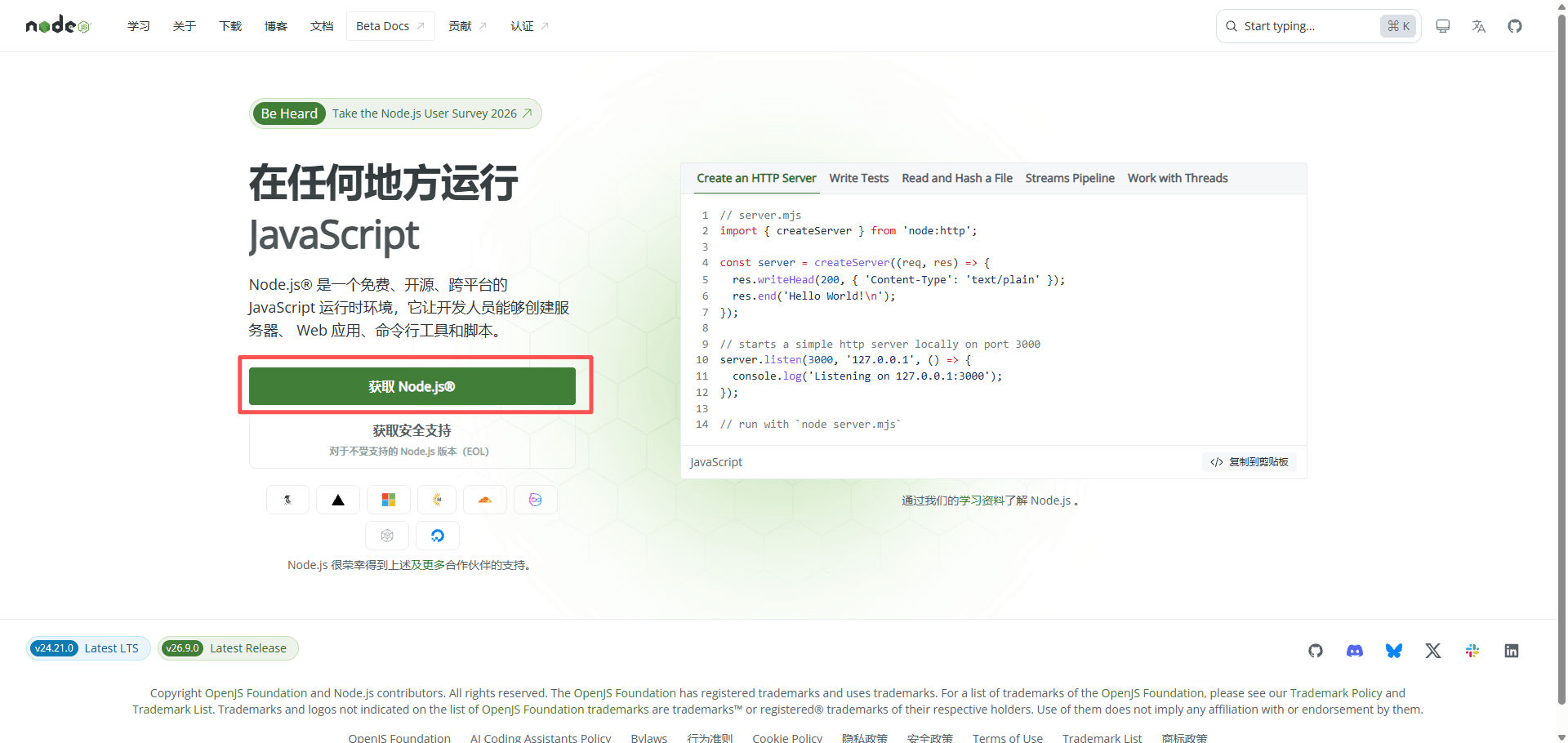
打开 Node.js 官网,点击 获取 Node.js。
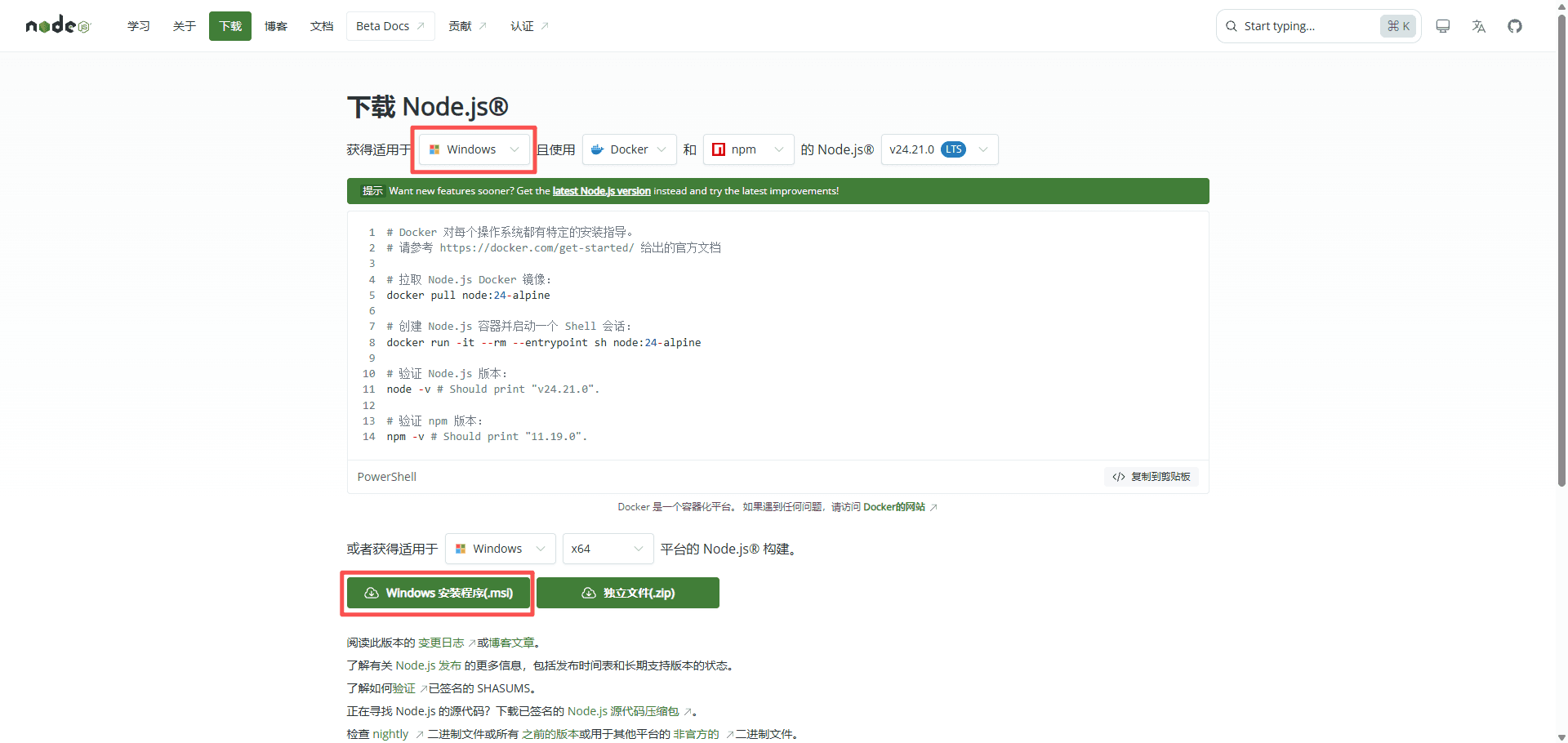
进入下载页面后,选择你的操作系统和 LTS 版本。Windows 用户选择 Windows 和 x64,然后点击 Windows 安装程序 (.msi)。
安装 Node.js
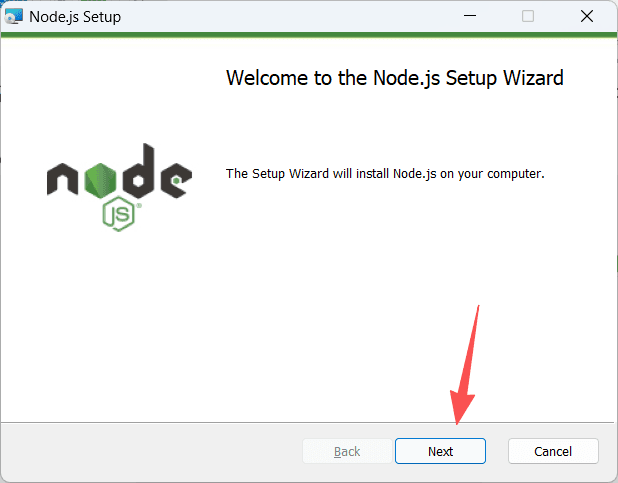
双击下载的 .msi 文件。打开安装向导后,点击 Next。
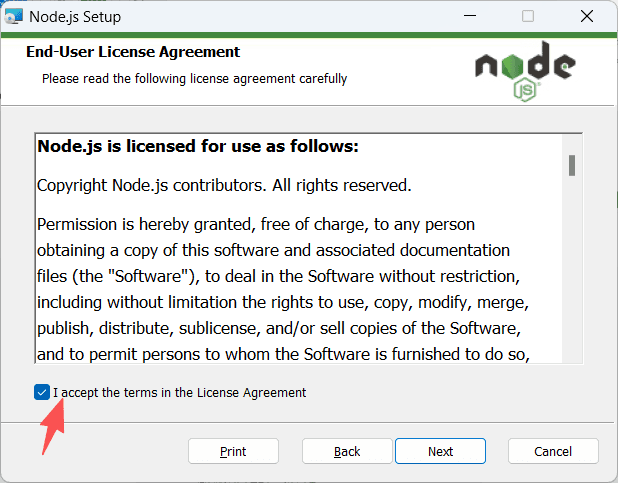
勾选接受许可协议,然后点击 Next。
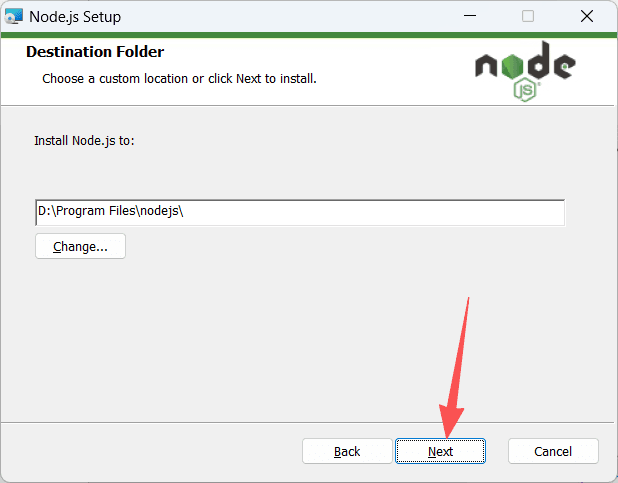
选择安装目录。没有特殊需求时可以保留默认目录,然后点击 Next。
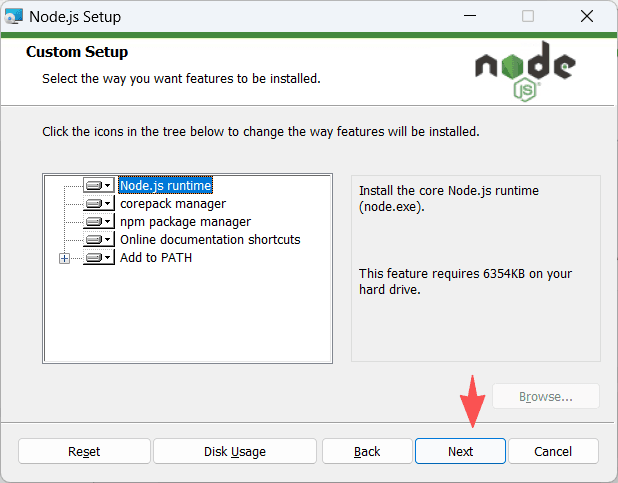
保留默认安装组件,确认其中包含 Add to PATH,然后点击 Next。
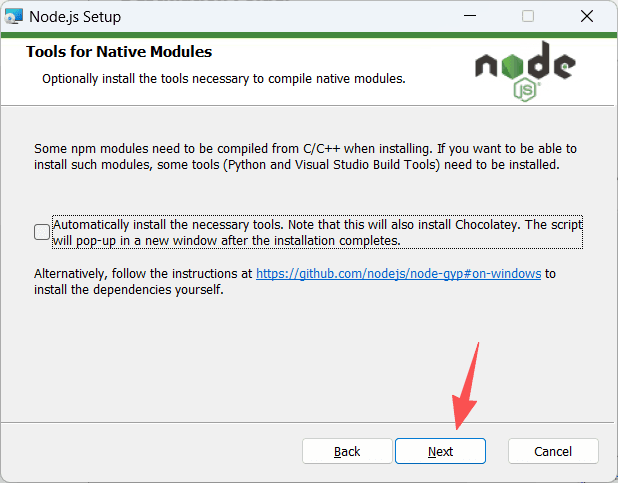
原生模块编译工具是可选项,一般不需要勾选。继续点击 Next,然后完成安装。
验证安装
安装完成后,重新打开终端,依次运行:
node --version
npm --version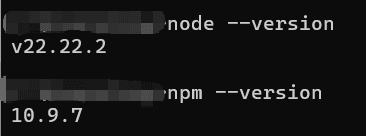
如果两条命令都能输出版本号,就表示安装成功。你看到的版本号可能与图片不同,之后可以继续配置 Claude Code 或 Codex。